Introducing an AI coding assistant raises the same question every engineering manager and CFO asks first: what will it cost, and when will we see a return? This playbook gives a small‑team, practical approach to model the cost of AI coding assistant adoption, compare subscription versus API models, and build a repeatable ROI forecast you can present to stakeholders.
Key cost drivers to include in your model
Start by enumerating the levers that actually move spend. For small teams these usually fall into four buckets:
- Licensing and seats — per‑seat subscriptions (typical for GitHub Copilot style products) or enterprise licenses.
- API / compute consumption — metered charges measured in tokens, calls, or compute-seconds for API-driven assistants (common with Codex-like offerings and some Kiro deployments).
- Integration and engineering — one‑time effort to integrate the assistant into workflows, CI, and developer IDEs, plus ongoing maintenance.
- Operational and risk costs — monitoring, security reviews, possible on‑prem or private‑instance hosting, and cost‑control tooling.
Calling out these buckets early prevents surprises: seat costs are predictable, API costs vary with usage, and integration plus operational work often get under‑estimated.
Concrete inputs for a forecast model
A simple spreadsheet model should accept a small set of realistic inputs. Use these fields as the minimum:
- Team size (number of developers who will use the assistant)
- Adoption rate (percentage of devs actively using it)
- Average usage per developer (minutes/day or API calls/day)
- Unit prices — per‑seat monthly price and/or API price per token or per 1,000 calls
- Integration one‑time cost and monthly maintenance cost
- Expected time savings per developer (hours/week) and value per hour (fully burdened cost)
- Qualitative impacts you want to monetize (fewer bugs, faster onboarding) with conservative estimates
Keep two versions of the model: a conservative (low savings, high usage) and an optimistic (high savings, controlled usage) case. That range is more useful than a single point estimate.
How to calculate monthly cost — a simple formula
// Hypothetical example (replace with your numbers)
monthly_cost = (seats * seat_price)            // subscription-based
+ (api_units * api_unit_price)     // API-driven usage
+ integration_amortized_monthly
+ operational_monthly_cost
Example (hypothetical): if 8 developers, 6 use the assistant, seats = 6 at a monthly list price, plus small API usage for CI jobs, add the monthly amortized integration cost and cost‑control tooling.
Estimating ROI: translating time saved into dollars
ROI depends on how you translate assistant impact into measurable benefits. For small teams prioritize these metrics:
- Developer time saved — estimate conservative minutes saved per task; multiply by tasks per week and fully burdened hourly rate.
- Faster onboarding — estimate reduction in ramp time (weeks) for new hires and its effect on output.
- Quality improvements — estimate reduced bug triage hours or production incident hours attributable to the assistant.
Convert each into a monthly dollar value and compare to the monthly cost. A simple break‑even calculation looks like:
monthly_benefit = (hours_saved_per_month * hourly_cost) + other_monetized_impacts
payback_months = total_one_time_costs / monthly_benefit
If monthly_benefit exceeds monthly_cost, you have a positive monthly ROI. For many small teams, the critical threshold is whether the assistant reduces developer wait times and rework enough to cover licensing and API spend.
Practical scenarios for small teams
Use scenario planning rather than exact predictions. Two realistic examples:
Scenario A — Subscription (Copilot-style)
Teams that use a per‑seat assistant typically get predictable monthly spend. The trade-off: limited control over peak usage and fewer opportunities to optimize by routing cheaper models for non-sensitive tasks. This model tends to be attractive when most developers will use the assistant interactively in the IDE.
Scenario B — API / metered (Codex/Kiro-style)
API-driven assistants offer finer control (route evaluation tasks to a cheaper model, cache completions) but introduce variable costs and the need for throttles and monitoring. If your workflows include automated code generation, CI code fixes, or bulk transformations, expect spikes and plan for throttling or batching.
Compare Copilot pricing vs Codex when deciding: per‑seat buys predictability; API pricing buys flexibility if you can control usage. Kiro cost model may sit between these approaches depending on vendor packaging—confirm the vendor's billing terms and any per‑feature charges before forecasting.
Controls and governance to keep costs predictable
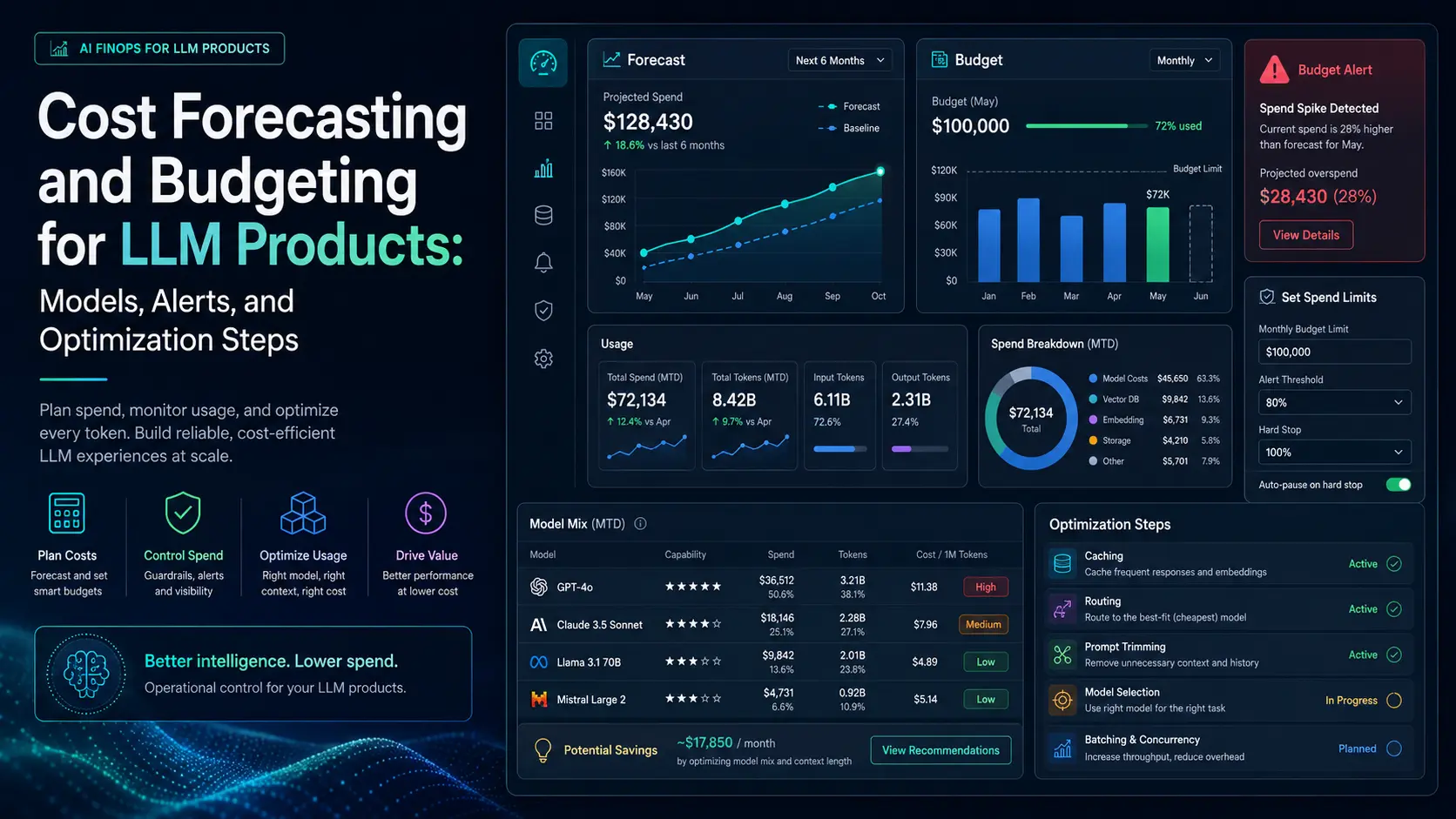
Deploy these controls during your pilot to avoid runaway bills and to gather clean telemetry for forecasting:
- Set per‑user monthly limits or soft quotas during pilot.
- Instrument API calls with tags (team, repo, feature) so you can attribute spend.
- Route non‑sensitive bulk work to cheaper models or batch it overnight.
- Create cost alerts for daily spend thresholds and anomaly detection.
- Enforce retention and data‑leak prevention policies to avoid downstream risk costs.
These controls reduce variance and make model inputs trustworthy for future forecasts.
What to measure during a pilot
Run a 4–8 week pilot and collect these core metrics:
- Active users and sessions per day
- Average API calls or tokens per session
- Time saved per task (self‑reported and observed)
- Number of automated code changes rejected in code review
- Incidents or regressions attributable to assistant suggestions
- Monthly billed cost and cost per active user
Combine telemetry with developer surveys to quantify qualitative benefits such as reduced cognitive load and improved morale—translate conservatively into dollars.
Presenting the forecast to stakeholders
Stakeholders want clarity and defensible assumptions. Deliver a 1‑page summary with:
- Two cost scenarios (conservative and optimistic)
- Break‑even months and sensitivity to key inputs (hours saved and usage growth)
- Risk controls you’ll adopt (quotas, monitoring, routing)
- A pilot plan with measurable success criteria
Include the underlying spreadsheet as an appendix so reviewers can tweak assumptions themselves.
Final practical checklist
- Build a minimal forecast spreadsheet with the inputs listed above.
- Run a short pilot with strict quotas and instrumentation.
- Track developer time saved, bugs avoided, and monthly billed cost.
- Compare subscription vs metered offers honestly — use scenario analysis.
- Bring the result to stakeholders with clear break‑even and sensitivity analysis.
For more on product trade‑offs between these assistants, see our practical comparison of Kiro, Codex, and GitHub Copilot which looks at accuracy, privacy, and integration trade‑offs relevant to cost decisions.
Practical forecasting is not about exact prediction—it's about building a small, defensible model that surfaces the right trade‑offs and gives you control over spend.
Frequently Asked Questions
How do I estimate monthly cost for a 10‑developer team?
Estimate active users, choose a pricing model (per‑seat or API metered), measure expected minutes or API calls per dev per day, and plug into the formula: monthly_cost = seatsseat_price + api_unitsapi_unit_price + amortized_integration + operational_cost. Run conservative and optimistic scenarios.
Should we prefer a per‑seat assistant or an API‑driven model?
Per‑seat subscriptions give predictable spend and are convenient for IDE-first use. API models give flexibility and potential cost savings if you can batch work, route cheaper models, and enforce quotas. Choose based on whether predictability or usage flexibility matters more for your workflows.
What controls prevent runaway API bills during a pilot?
Apply per‑user soft quotas, tag calls for attribution, create daily spend alerts, batch noninteractive workloads, and route high‑volume jobs to cheaper models or scheduled windows.
Which ROI metrics should a small team track?
Track developer hours saved (observed + self‑reported), onboarding ramp reduction, reduced bug triage hours, and any incident time savings. Convert these to dollar values using fully burdened hourly rates.
How long should a pilot run before scaling?
Run a 4–8 week pilot with quotas and instrumentation. That window is typically enough to capture steady usage patterns, measure time‑savings, and surface edge cases before committing to larger spend.